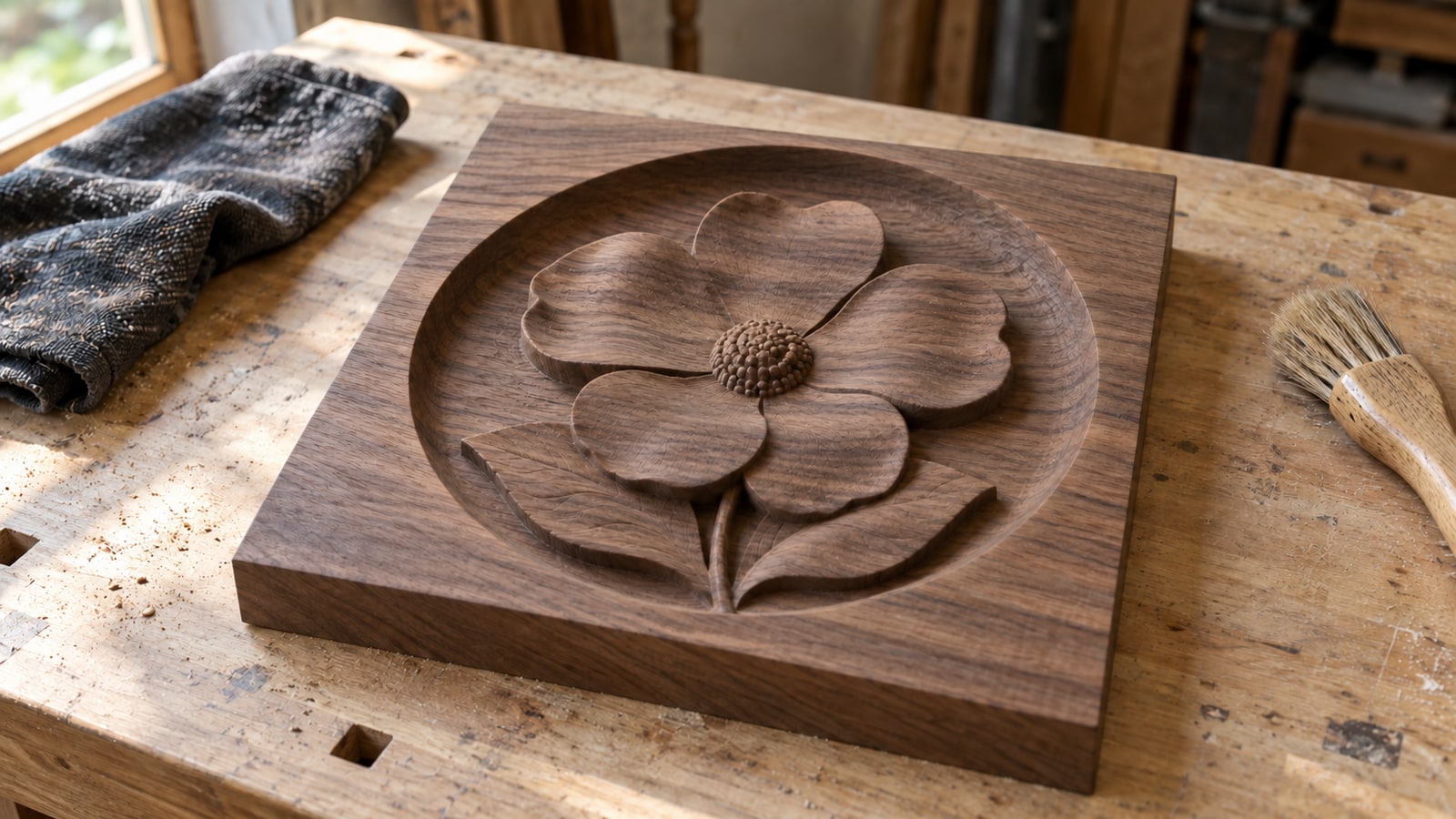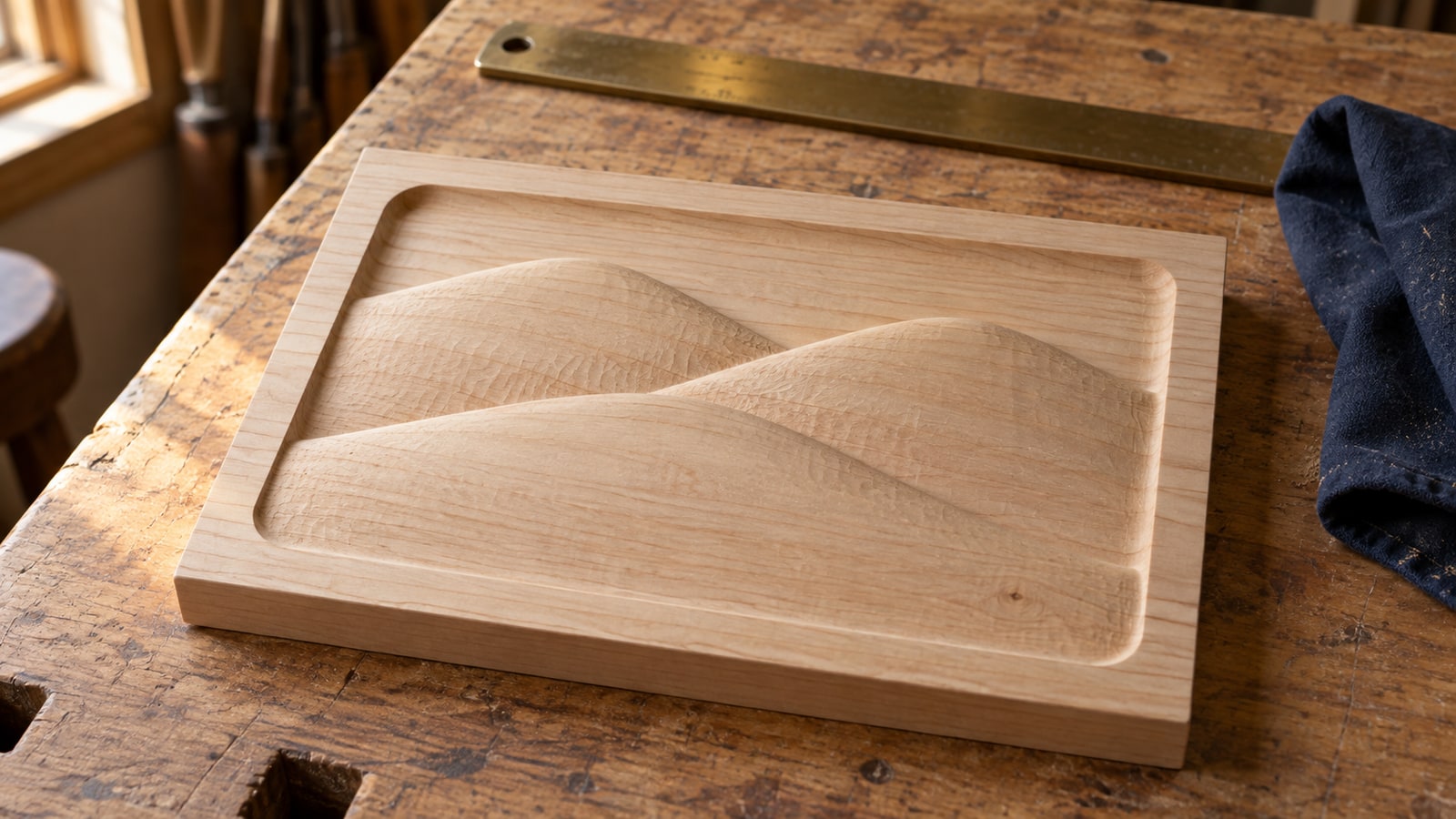
A wolf plaque with real carved shoulders costs about five dollars on any model marketplace, and the listing photo is glorious. You buy it, download it, and your CAM software either refuses the file outright or opens it as a flat outline of a wolf. Somewhere between the listing and your spindle, the thing you paid for stopped being three dimensional.
That is almost always a format mismatch rather than a bad file. Three completely different kinds of file get sold under the same word, "3D", and only one of them will do what your particular software is set up to do.
Tip
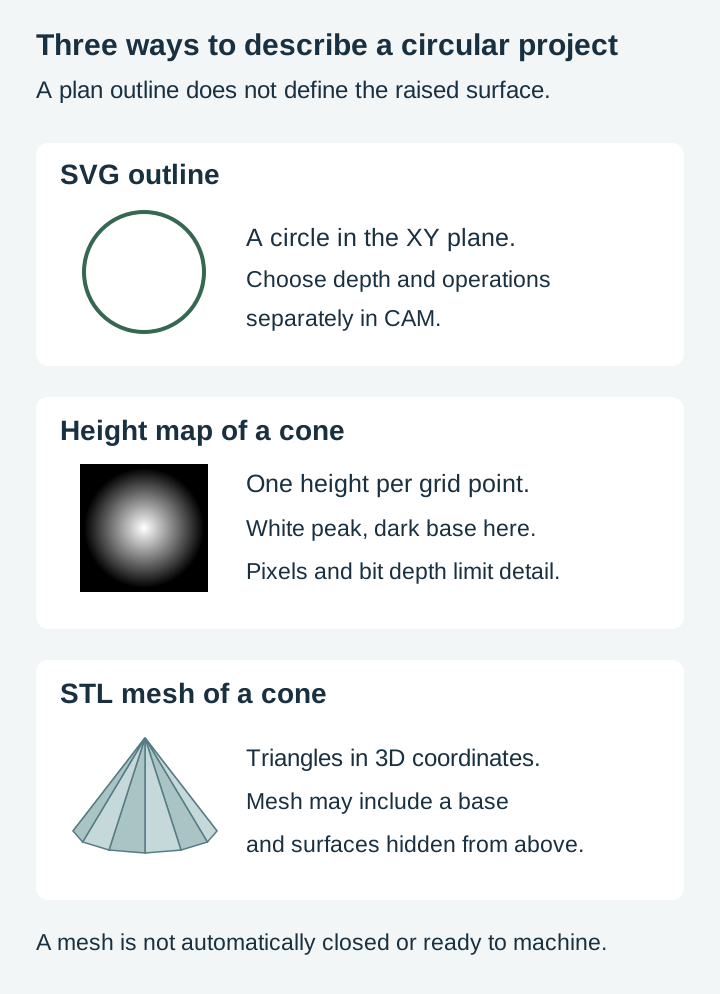
Short answer: an SVG holds flat outlines and drives cutting, pocketing and V-carving. A depth map is a greyscale image holding one height per pixel and drives 3D relief carving. An STL is a triangle mesh surface, which some CAM packages machine directly. Buy the one your software imports, not the one with the best photo.
What each file actually contains
| SVG | Depth map | STL | |
|---|---|---|---|
| What is inside | Vector paths, flat outlines | A greyscale image, one height per pixel | A triangulated surface; not necessarily a closed solid |
| Extension | .svg | .png, .tif, .bmp | .stl |
| Height data | None | A surface seen from directly above | Full three dimensional geometry |
| Drives | Profile, pocket, V-carve, drill | 3D roughing and finishing | 3D roughing and finishing |
| Editing it means | Moving nodes and paths | Painting greys | Modelling in 3D software |
| Runtime depends on | Geometry and toolpaths | Area, resolution and toolpaths | Geometry and toolpaths |
The middle column is the one people find slippery, so it is worth linking rather than repeating: our guide to what a depth map is covers brightness, bit depth and resolution properly. Everything below assumes you have the one-line version. Brighter means higher, darker means deeper.
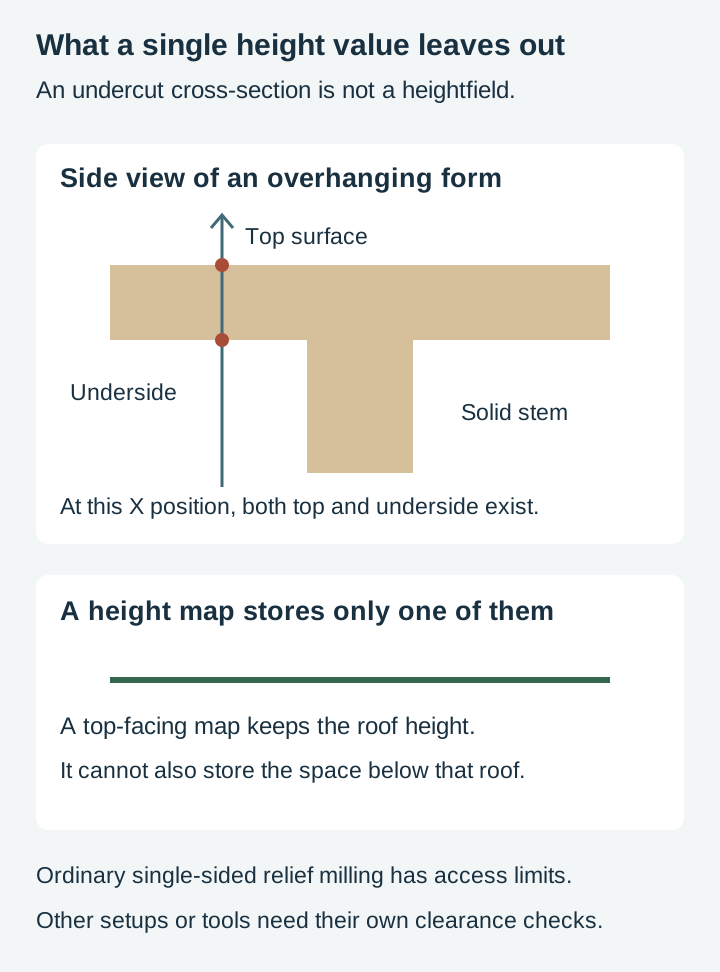
The difference between a depth map and an STL is the interesting one, because both can end up as the same carved plaque. A depth map is a heightfield. For every point on a grid it stores exactly one height, which means it physically cannot describe anything tucked under anything else. An STL stores triangles in 3D coordinates. A suitably constructed mesh can describe a closed figure, undercuts and hollows, but open or defective meshes also exist.
That sounds like the STL wins. On a three axis router it usually does not, and the reason is the machine rather than the file.
Your router only cuts what it can see from above
In an ordinary single-sided three-axis relief setup, a vertical cutter approaches from above. Inaccessible undercuts and the underside need another setup, a suitable specialized cutter or a different process. Inspect the simulation and tool clearance; do not assume CAM will safely discard every inaccessible feature.
So the extra geometry inside an STL is often geometry your machine will discard anyway. A model built as a flat backed plaque, which is how relief STLs are usually sold, carves beautifully because it was designed to be seen from one direction. A freestanding figure may need multiple indexed setups or substantial redesign to be machined with the available tools.
This is the single most common way people waste money on a 3D file. The format was fine. The subject was modelled for additive manufacture, which has different access and support constraints from milling.
Before you buy an STL, check whether the preview shows a plaque or a figurine. If it is a figurine, look for a listing that says "relief" or "flat back" instead.
Which software takes which file
This is the part that decides your purchase, and it varies more than you would expect. Every claim below comes from the software maker's own documentation.
Vectric VCarve Pro and Aspire. Vectric's documentation for the Import a Component or 3D Model tool lists STL, 3D DXF, 3DS, OBJ and SKP, plus Vectric's own V3M, CRV and CRV3D formats. The V12.5 image-import documentation also describes generating a component from an image; check the tools available in your installed version. Vectric's user forum notes that VCarve is limited to one imported third-party model per job while V3M components are unlimited, and Aspire is the version that lets you sculpt and edit an imported model rather than placing it as it arrived.
Carveco Maker and Maker Plus. Carveco's training material covers importing STL, OBJ, IGES and 3DM models and converting them into relief models, and a separate lesson covers building a relief from a greyscale image through Relief, Import. Both routes are native here, which is unsurprising for software descended from ArtCAM.
Carbide Create Pro. Carbide 3D publishes an Import STL lesson for the Pro version, and Pro also builds 3D models from imported images. The free version of Carbide Create does neither, which catches out a lot of Shapeoko owners who assume any 3D file will open.
MeshCAM. GRZ Software documents both paths as well: STL and DXF for models, and any JPG, BMP or PNG opened as a heightfield where lighter pixels sit higher.
Autodesk Fusion. Meshes come in, and the Manufacture workspace machines them. Autodesk’s personal-use documentation includes 2.5-axis and 3-axis milling, subject to the license’s eligibility and workflow limits, while multi axis work and a few conveniences sit behind the paid tiers. There is more setup involved than the dedicated relief packages, and correspondingly more control.
Easel. Easel Pro supports STL import and 3D carving. Its 2D workflow also accepts vector files. Check the actual plan and workflow rather than assuming browser-based CAM is limited to SVG.
LightBurn, if you were wondering about the laser. The LightBurn documentation lists SVG, AI, PDF, DXF, PLT and HPGL for vectors and PNG, JPG, BMP, GIF, TIFF and WebP for images. No mesh format appears anywhere on that list. LightBurn imports vector and raster artwork rather than machining an STL mesh directly. Other laser software can have different capabilities; convert a mesh to suitable image data when the workflow requires it.
One habit saves a lot of refunds. Before buying any 3D file, open your CAM software, click the import menu, and read the file type dropdown. That list is the real answer for your bench, and it takes ten seconds to check.
Converting between the three
You can move between these formats, but not in every direction, and the ones that work have a cost worth knowing.
STL to depth map works cleanly. Sampling the model’s top-facing height produces a heightfield limited by the image resolution and bit depth, which is how most commercial relief libraries are generated in the first place. The selected view loses undercuts and hidden surfaces, which a single height value cannot represent.
Depth map to STL also works. Software builds a mesh from the heightfield, giving you a model you can preview, scale and hand to CAM that prefers meshes. It adds no source detail. Sampling, filtering and triangulation determine how closely the mesh preserves the image, and the mesh may occupy more disk space.
SVG to either requires you to add height information. There is no height data in a vector file to recover. What a tool like ReliefMaker, on our sister site Craftgineer, does is generate plausible height from the artwork, which is a new interpretation rather than a conversion. Sometimes that is exactly what you want. It is not the same as extracting something that was already there.
Depth map or STL to SVG loses the entire point. You would be tracing an outline out of a model, which is a fine way to get a cut line for a backer board and a poor way to keep a carving.
If you want the wider picture of what survives each conversion across all the formats in a design pack, our guide to choosing the right file format covers the flat side of the family in detail.
A file named "relief" is not automatically a 3D file
Here is where money gets wasted quietly, and we would rather be blunt about it than let a word do the work.
"Relief" describes how artwork looks. It says nothing about what is inside the file. A relief design can be a depth map, an STL, or vector line art drawn so convincingly that the eye reads carved shadow that is not physically there.
Our own relief medallion packs are the third kind. Their source artwork is SVG line art. The packs also include raster PNG and JPG versions alongside SVG, PDF and EPS. The sculpted appearance comes from directional hatching that follows the form and from cast shadow drawn behind the subject, which is a drawing technique rather than height data.
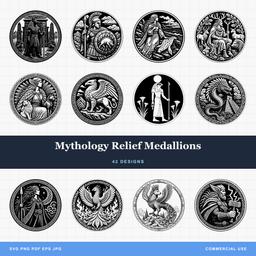 Mythology Relief Medallions42 designs, commercial license included$3.99
That means something specific for your machine. Load one of these into CAM and you get outlines, so the toolpaths available are profile, pocket and above all V-carve, where the bit angle turns a flat line into a groove with genuine physical depth that catches light as you walk past. On a laser the same file burns flat and still reads as sculpted, because the illusion is in the artwork. What these files will not do is drive a 3D roughing and finishing pass, because there is no height field for those toolpaths to follow. A true modelled bas relief carve needs a depth map or an STL, which is a separate file you would supply or generate.
Knowing which kind you are buying is the whole skill. If you want a V-carved medallion on a wood round this weekend, the SVG is the correct file and the STL would be an expensive detour. If you want a plaque with real modelled depth you can run a thumb across, the vector file is not going to get you there no matter which toolpath you pick. Our post on choosing a relief design for a round blank goes further into which subjects suit that format.
So which one should you buy
Work backwards from the object, not from the file.
Cutting a shape out, pocketing a tray, engraving a sign, inlaying two woods, V-carving a medallion. Buy the SVG. It gives you editable paths for these operations, and compatible laser and vinyl software can use the same geometry with appropriate preparation. Our V-carving tutorial is the natural next step if you have not tried the technique.
A plaque with genuine sculpted depth, one piece at a time. Buy a depth map or a flat backed relief STL, and pick based on your software's import list rather than on which sounds more advanced. If both open, compare the actual mesh resolution, height-map pixel dimensions and bit depth. Height maps are not limited to 256 levels; a suitable 16-bit map can preserve far more height values.
A model you also want to 3D print. Buy the STL, and expect to reorient or rebuild it before it will carve.
You are not sure yet. Buy the SVG. It is the cheapest way to find out whether you like the subject on a real workpiece, and if the answer is yes, you have lost very little by deciding to go deeper later.
The other quiet argument for starting flat is time. A surface-wide 3D finishing pass often takes longer than a small outline job. Estimate the actual toolpaths and include workholding, tool changes and finishing when planning a batch.
Start with a file you can run today
If you want the carved look without buying a 3D CAM licence first, our relief medallions are drawn for exactly that: V-carve them for real depth in the linework, or burn them flat on a laser and let the hatching do the sculpting.
Mythology Relief Medallions42 designs, commercial license included$3.99 Dinosaur Relief Medallions48 designs, commercial license included$3.99
Every pack is $3.99, ships as SVG, PNG, JPG, PDF and EPS, and includes a commercial license covering unlimited physical products, print-on-demand fulfilment included. Browse the rest in Fantasy, Reptiles & Bugs and Wildlife, or work through the full catalog.
And whichever route you take, check that import dropdown first. The gap between a great listing photo and a great carving is almost always one line in a file type list.
Designs for this project
Frequently Asked Questions
Is a depth map the same thing as an STL?
No. A depth map is a greyscale image holding one height value per pixel, so it can only describe a surface seen from directly above. An STL describes a triangulated surface in three dimensions. It can include undercuts and closed volumes, but the format does not guarantee that a particular mesh is closed or valid. Both can drive suitable relief toolpaths. A height map stores one height per grid point; a mesh can represent more general surfaces.
Can VCarve Pro open an STL file?
Yes. Vectric's documentation lists STL, OBJ, 3DS, 3D DXF and SKP among the model formats VCarve Pro imports as a component, alongside Vectric's own V3M files. Aspire adds the ability to sculpt and edit the imported model rather than placing it as-is.
Will an STL made for a 3D printer carve on my CNC router?
Sometimes, and often badly. In a typical single-sided relief setup, a vertical cutter cannot reach hidden undersides or many undercuts. Inspect tool clearance and the simulation. Flat-backed relief models are usually easier to prepare; full figures may require additional setups or tools.
Can I turn an SVG into a 3D relief carve?
Not directly, because an SVG contains no height data to convert. You can V-carve or pocket it for real physical depth in the linework, or use the artwork as the starting point for a depth map generated by a relief tool, but the height has to come from somewhere other than the vector file.