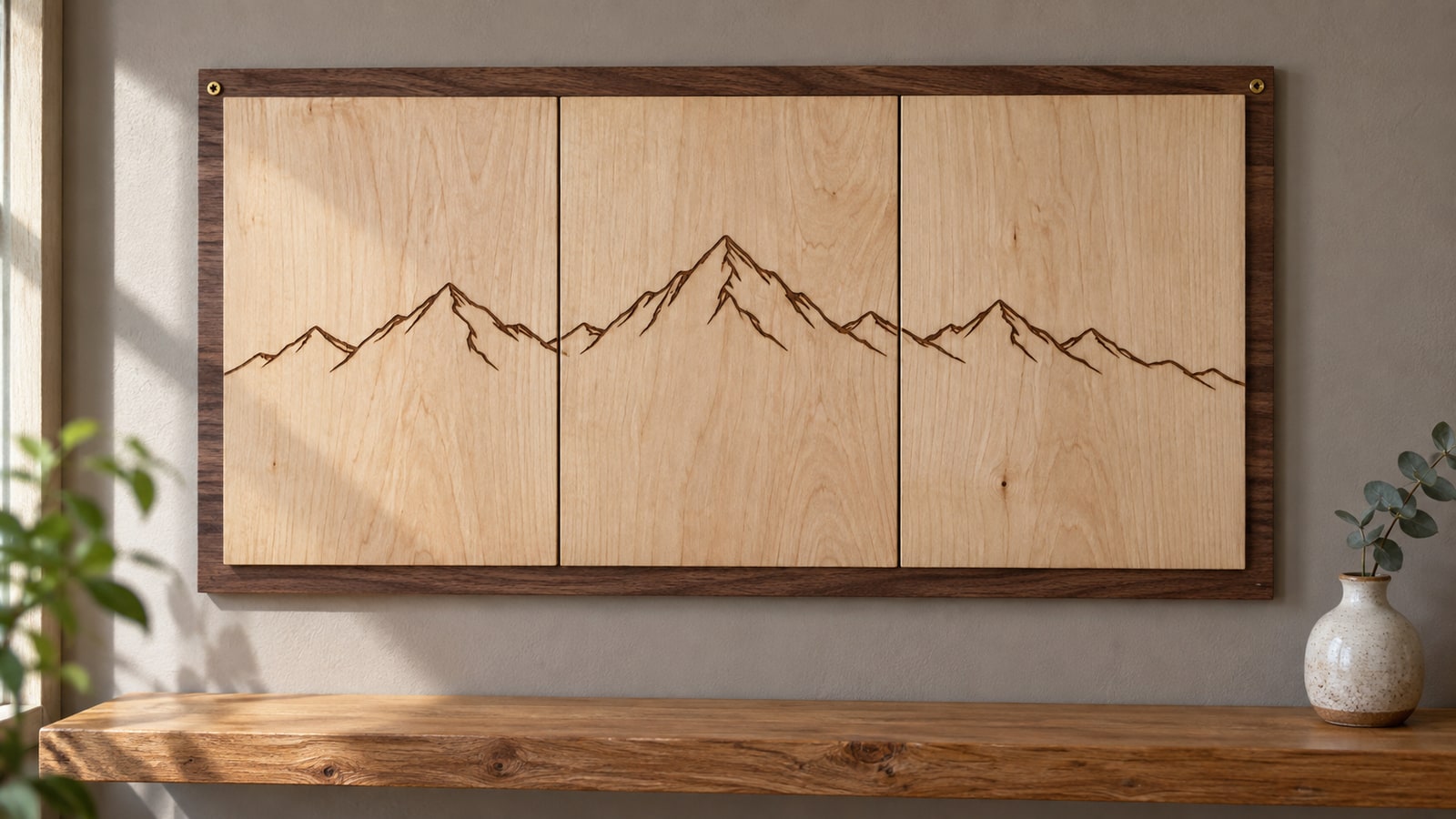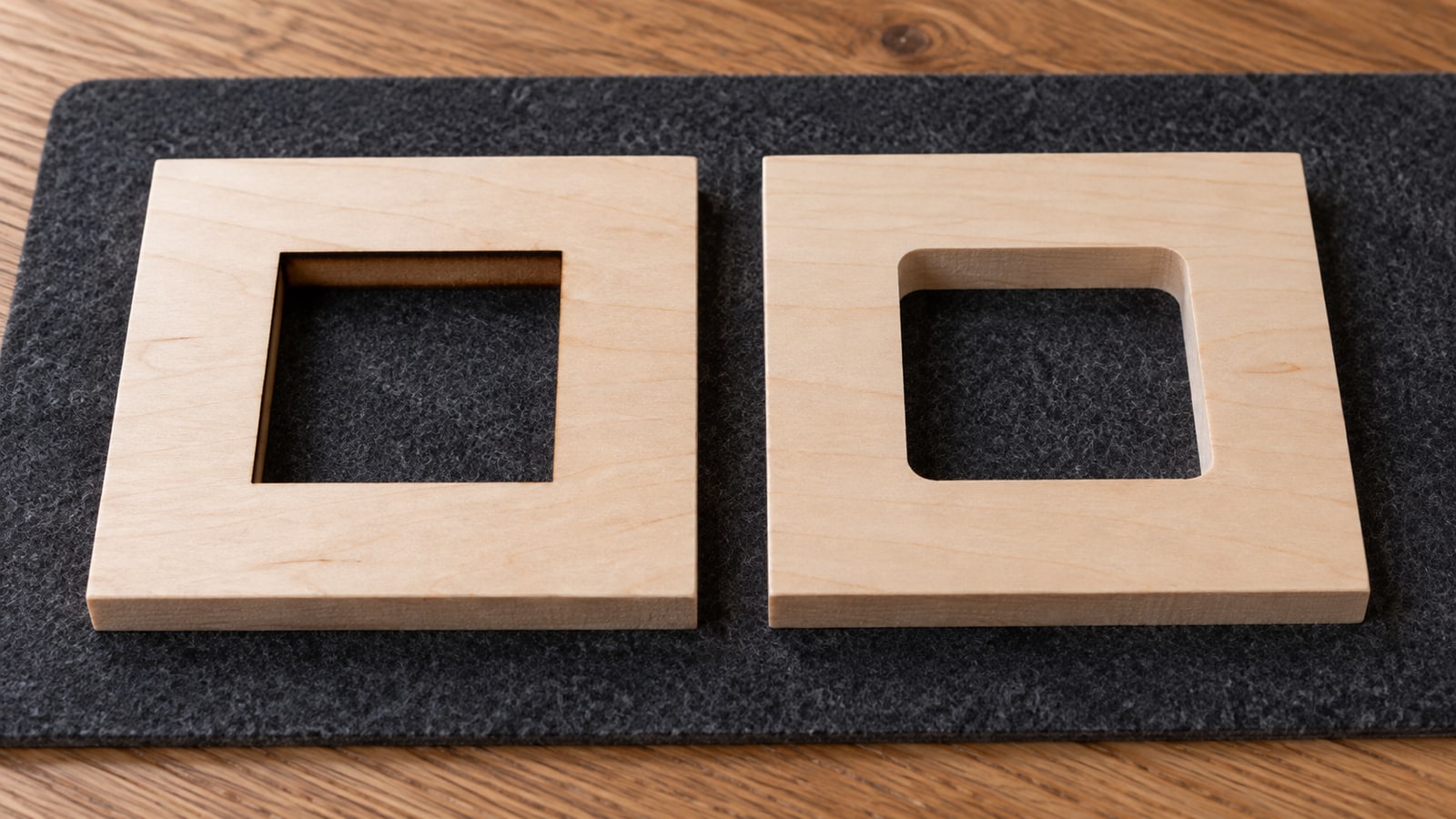
The same file, the same material, two machines, and two quite different objects come out.
Most of the difference comes down to one physical fact: both tools remove material across a finite width, but a laser’s effective cut width is often much smaller than a router bit’s diameter. Nearly every practical consequence follows from that.
Tip
Short answer: a laser can often make much smaller inside corner radii. A cylindrical router bit leaves a radius related to its diameter. Routers can handle thicker stock with suitable tooling and workholding, and usually leave a natural-color edge. Check your design's smallest feature against your bit diameter before assuming a file moves between them.
A point versus a diameter
Worth stating plainly, because it explains almost everything below.
A laser beam has a very small effective width. For design purposes it behaves close enough to a point that it can follow a path into a square corner, though the kerf is finite and dimensions still vary.
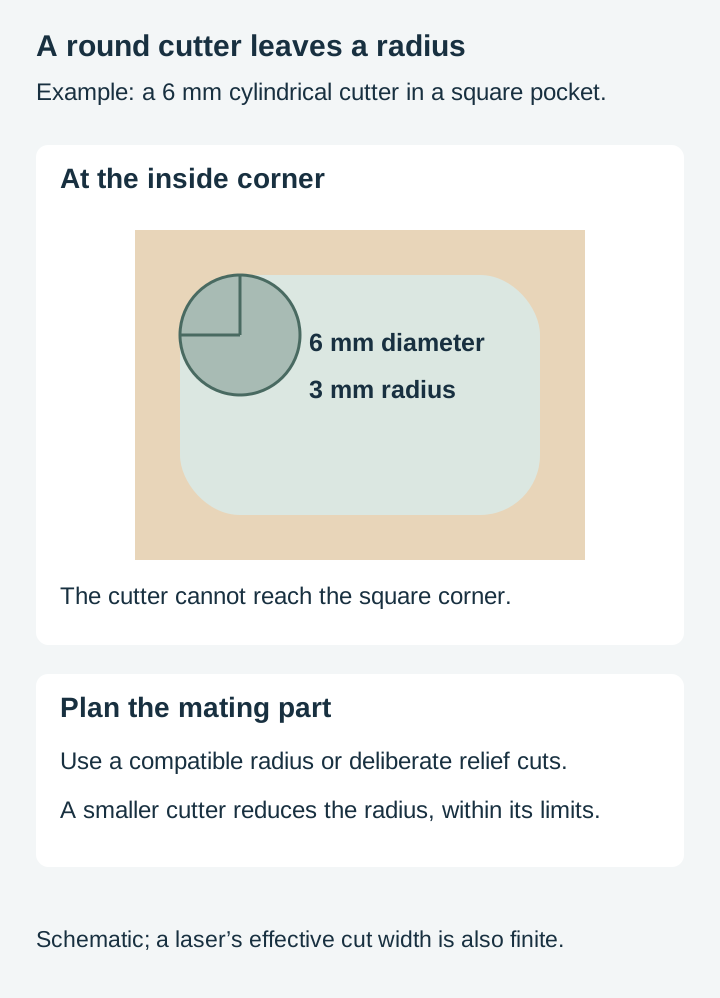
A router bit is a cylinder. It cuts a slot as wide as itself, and it cannot reach into any corner tighter than its own radius. Take a bit into a ninety degree inside corner and it sweeps an arc, leaving a rounded corner rather than a square one.
That is not a limitation you can dial out. It is geometry.
Inside corners
The most visible difference, and the one that surprises people first.
A design with square interior corners routes with rounded ones. On a decorative panel that is often fine and sometimes even looks better. On anything that has to fit another part, it is a problem: a square tab will not go into a slot with rounded ends.
Designs drawn for routing handle this deliberately. Relief cuts are the standard answer, small extra cuts at the corner that give the bit somewhere to go so the mating part still seats. Dogbone and T-bone are the two common shapes, and they look like mistakes until you understand what they are for.
The practical consequence for a file: a joinery design drawn for a laser usually needs relief cuts adding before it will route, and a routing file with relief cuts in it will laser cut with small odd notches in the corners. Neither is wrong; they are drawn for different tools.
Minimum feature size
The second big divergence, and the one that decides whether a file transfers at all.
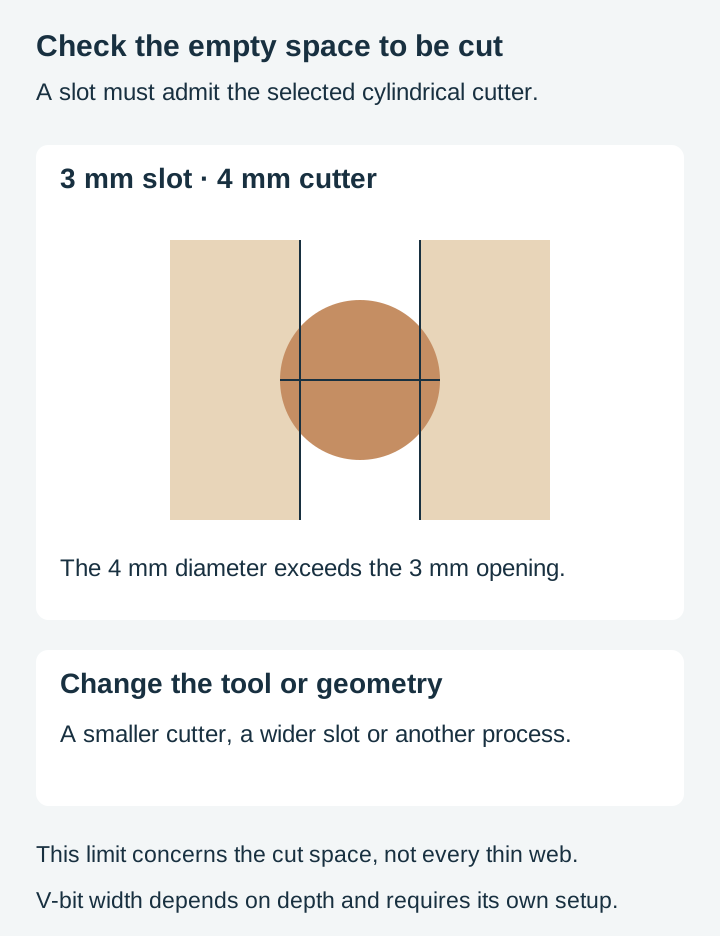
A cylindrical cutter cannot make a slot narrower than itself. If the finest slot or pocket in your design is narrower than the bit, that feature cannot exist as cut geometry, and the software will either skip it or refuse the toolpath. V-bits are the exception worth knowing: their cutting width depends on how deep they go, which is exactly why they are used for fine detail and lettering.
A laser's floor is much lower, though not zero, and it depends on the machine and material.
So the check before moving a design between them is straightforward: find the narrowest feature in the design and compare it to your bit. Fine internal detail, thin lettering strokes, and delicate lacework are exactly where a design that laser cuts beautifully turns out to be unroutable.
This is the same detail question our detail and small items post covers, with a much harder floor.
 Mountain Sign Designs46 designs, commercial license included$3.99
Kerf behaves differently
Both machines remove material along the cut, and both need compensating for if parts have to fit. The difference is in scale and predictability.
Laser kerf is narrow and varies with material, thickness and settings. It is small enough that people often ignore it, right up until they cut an inlay.
Router kerf is the bit diameter, which is large by comparison and known in advance, at least nominally: real bits carry a diameter tolerance and the machine has some runout. That sounds worse than a laser and is actually easier to work with, because you start from a number rather than from a measurement you have to take.
The difference is mostly in default practice rather than capability. A laser is usually driven straight down the line, and laser software will offset for kerf when you ask it to. A router profile can be set inside, outside or on the vector. When compensating a straight-sided cutter to a boundary, its center is offset by the radius, and which side depends on whether you are keeping the piece or the hole. Getting that side wrong is a common early mistake and it puts the boundary out by a full bit diameter in the wrong direction.
Our kerf post covers the underlying idea, and our offset and inset post covers doing it in the file.
Edges and what they look like
Different rather than better, and worth choosing between.
A laser edge on wood is darkened by the cut. That is either a feature or a problem depending on the piece. On pale birch it can look deliberate and handsome. On a piece you intend to paint, or where you want the natural colour, it is a nuisance you have to sand off. Our burn marks post covers reducing it.
A router edge is usually the natural material colour, with fine tool marks that sand out easily. Routers can burn too, from a feed rate that is too slow or a dull cutter, so this is an expected result with suitable tooling rather than a guarantee. If an unscorched edge matters, it is still a real reason to route.
On acrylic the laser edge can come out close to polished, which is difficult to match by any other method. That is a genuine laser advantage.
Thickness
Where the two diverge most sharply.
Routers are built for thick material. Depth also depends on flute length, tool reach, machine clearance, rigidity and workholding. Multiple passes cannot remove those limits.
Laser capability falls off as material thickens, and how far it goes depends heavily on the specific machine. Manufacturers publish capability figures for their own machines, and that is the right source rather than a general rule.
The practical version: thin sheet is comfortable territory for both, and anything substantial in solid wood points at the router.
Three dimensions
The difference that is not about cutting at all.
A laser marks or cuts through a surface. A router removes material to a controlled depth, which means it can produce work with real modelled form in it.
Lasers do have their own depth-varying trick, driving power from a greyscale image to burn deeper in the dark areas, and it produces genuine surface relief. What a router does is different in degree: it removes real material to a commanded depth, so the form can be far deeper and the surface is cut rather than burned. Relief carving in the usual sense means the router. Our relief medallion post covers what those files are and which machines can use them, and explains the difference between supplied shaded line artwork and actual height or 3D model data. The catalog medallion below is artwork, not a ready-to-machine 3D model.
 European Wildlife Relief Medallions30 designs, commercial license included$3.99
Choosing for a design
The notes below are a design-side starting point drawn from how we build files, not measurements from machines we own. Your bit diameter, your machine and your material decide the actual limits, so check them.
| The design has | Laser | CNC router |
|---|---|---|
| Small inside corner radii | Limited by beam and process | Limited by cylindrical bit radius |
| Slots narrower than a chosen cylindrical bit | May be possible | Need a smaller tool or different strategy |
| Fine engraved surface detail | Yes | Limited by bit |
| Thick solid stock | Machine dependent | Limited by tool reach and setup |
| Natural-color wood edge | Usually needs cleanup | Typical with suitable cutting conditions |
| Surface relief | Possible with suitable depth workflow | Possible from prepared geometry/toolpaths |
| Interlocking joinery | Yes, with fit allowance | Yes, with compatible corner geometry |
The row that catches most people is the second. It is worth checking before you buy material rather than after.
Where to start
Take a design you have laser cut and find its narrowest opening. Compare it with the diameter of the intended cylindrical cutter, then check inside corners, depth, material and workholding. Passing the opening check is a useful first filter, not a complete toolpath review.
If it does transfer, cut the same design on both and put them side by side. The corner difference and the edge difference are both obvious in the hand and difficult to picture in advance.
Every design in our catalogue ships as SVG, PNG, JPG, PDF, and EPS for preparation in the selected workflow. Inspect the actual geometry before assigning operations. Open vectors have their uses too, for engraved line work and single-pass detail, and CAM software machines them happily. Browse the full catalogue at $3.99 a pack, commercial license included with every purchase and no cap on how many physical products you sell.
Designs for this project
Frequently Asked Questions
Why do my inside corners come out rounded on a CNC?
Because a router bit is round and cannot cut a corner sharper than its own radius. A laser often produces much smaller corner radii, but its beam and kerf also have finite width. A cylindrical bit leaves an arc. This is not a settings problem and no amount of adjustment fixes it, which is why designs meant for routing often have deliberate relief cuts at the corners.
Can I use the same SVG on both machines?
Often yes for the outline, but the detail is where they diverge. A design whose smallest feature is narrower than your bit simply cannot be routed, while the same feature may cut comfortably on a laser. Check the finest part of the design against your bit diameter before assuming a file transfers.
Which produces a better edge?
Different, rather than better. A laser leaves a smooth edge that on wood is darkened by the cut, and on acrylic can be near polished. A router leaves an uncoloured edge with fine tool marks that sands easily. If you want an edge that is not scorched, that is a genuine argument for routing.
Does thickness change the answer?
Considerably. Routers handle thick stock comfortably, which is most of why they exist. Laser capability drops off sharply as material gets thicker and depends heavily on the machine. For anything substantial in solid timber, the router is usually the answer.